How to use SuMarket
A quick visual tour of the app - read a plain-English market briefing, learn with AI study tools, build a glossary that sticks, and track the markets that matter to you.
SuMarket turns the daily firehose of market news into something a student can actually learn from - a plain-English briefing, AI study tools, and a personal glossary that compounds over a semester. Here's the quick tour.
01
Pick your briefing
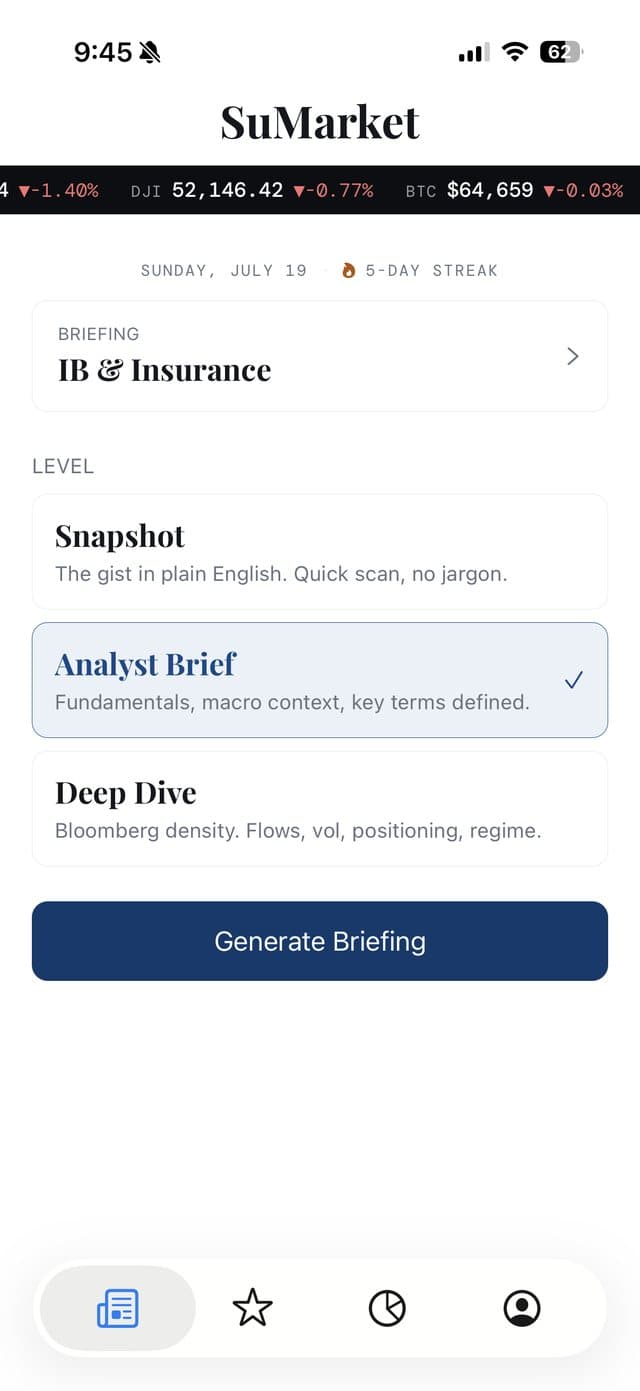
Open SuMarket and choose what to read. Pick a sector - from IB & Insurance to tech, energy, or crypto - and your depth: The Gist for what happened in plain English, How It Works for the context behind the move, or The Long View for the fullest version. Tap Generate Briefing.
Choose sector & depth

Today's briefing
02
Read it in plain English
Your briefing opens as a clean, editorial read: a one-line headline thesis, a The Takeaway pull-quote, then the stories that matter - each with its source and, where it helps, an embedded data chart. No jargon walls, just what happened and why it matters.
03
Learn with AI study tools
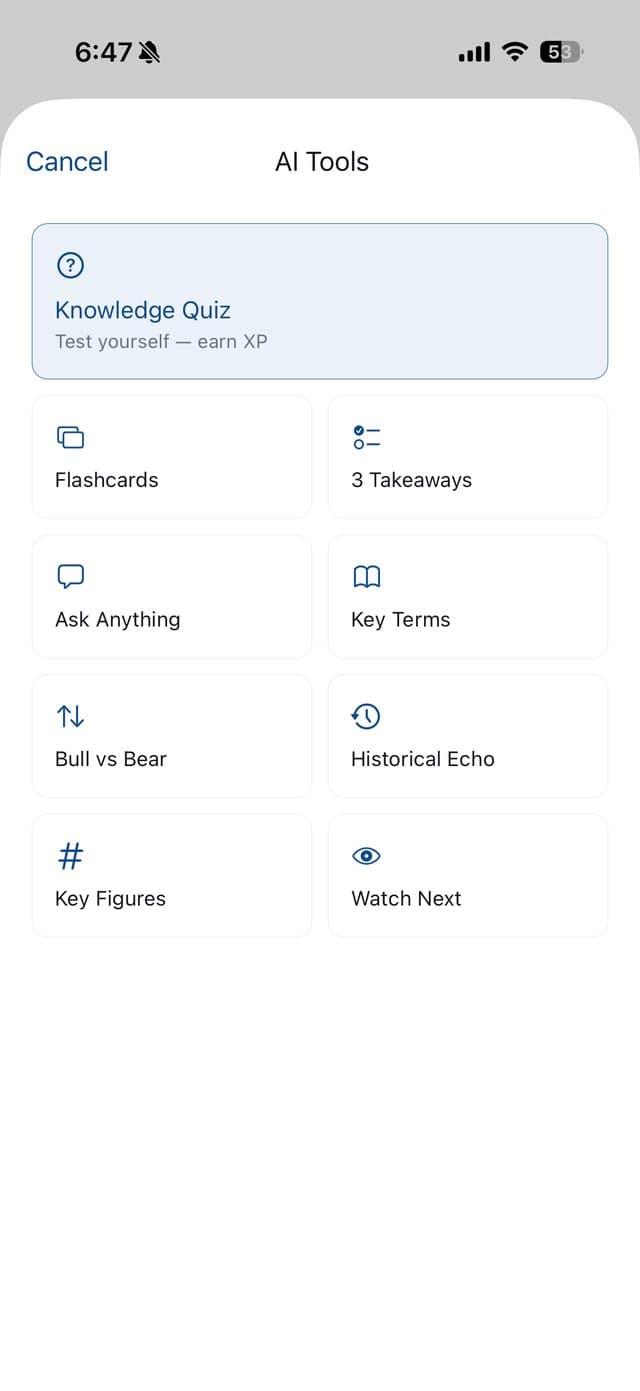
Tap AI Tools on any briefing for one-tap ways to actually learn it: a Knowledge Quiz, Flashcards, 3 Takeaways, Key Terms, Bull vs Bear, Ask Anything, and more - all grounded in today's real stories.
AI Tools
Tap any term
04
Build a glossary that sticks
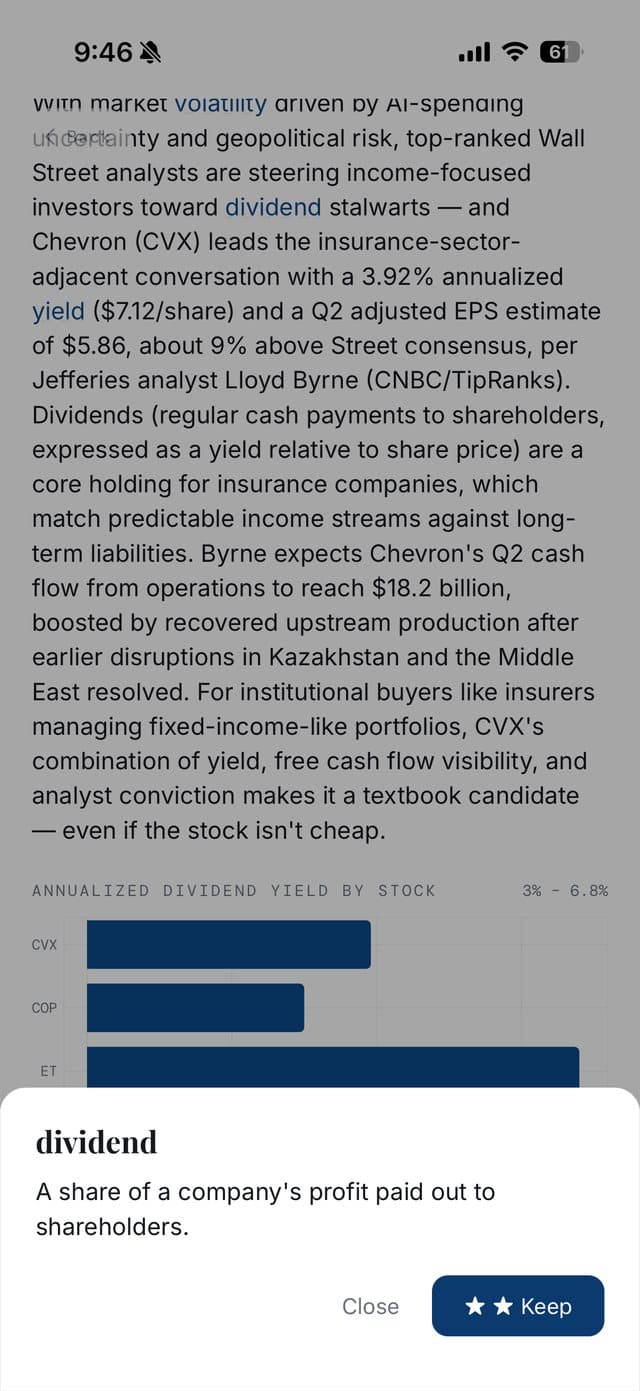
See a term you don't know? Tap it. A plain-English definition pops up instantly - hit ★ Keep to save it to your personal glossary. Then a 30-second daily spaced-repetition review resurfaces it right before you'd forget, and it graduates from Learning to Mastered.
05
Track the markets that matter
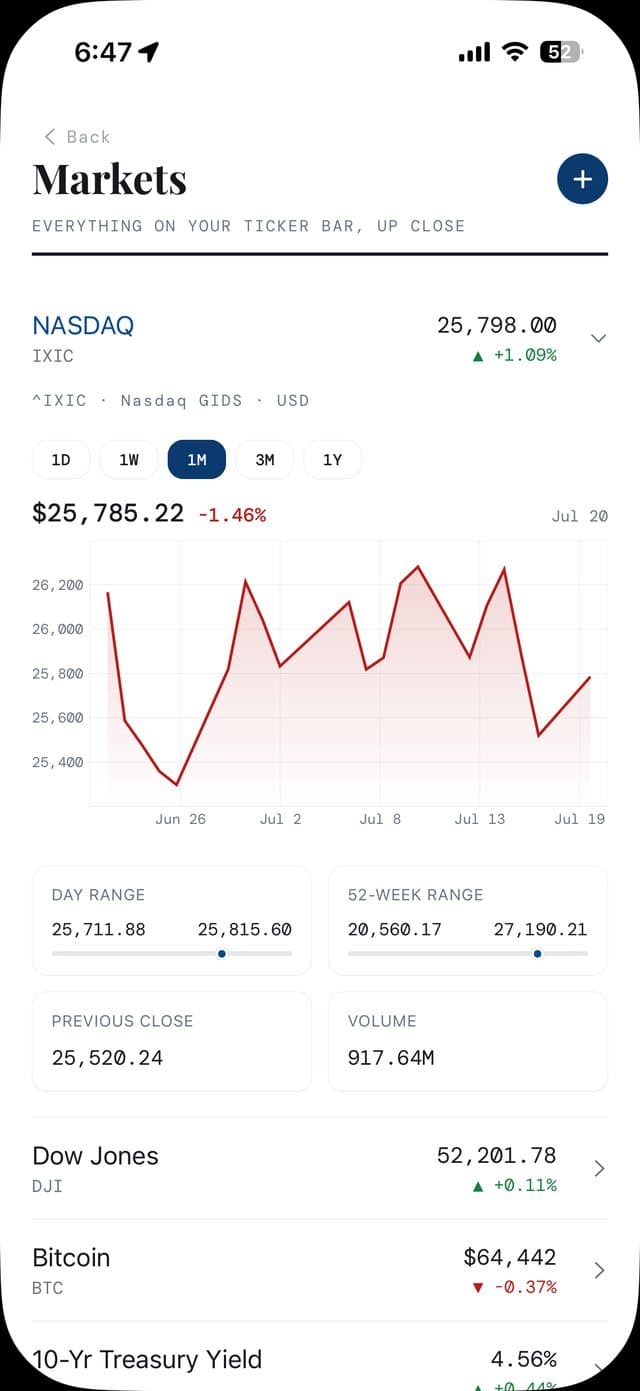
The Markets page is yours to customize - add up to 10 tickers (indices, crypto, rates, FX, stocks) with the + button, swipe to remove, and tap any row to expand a live chart. Press and drag on a chart to scrub the exact price and date at any point.
Markets & charts
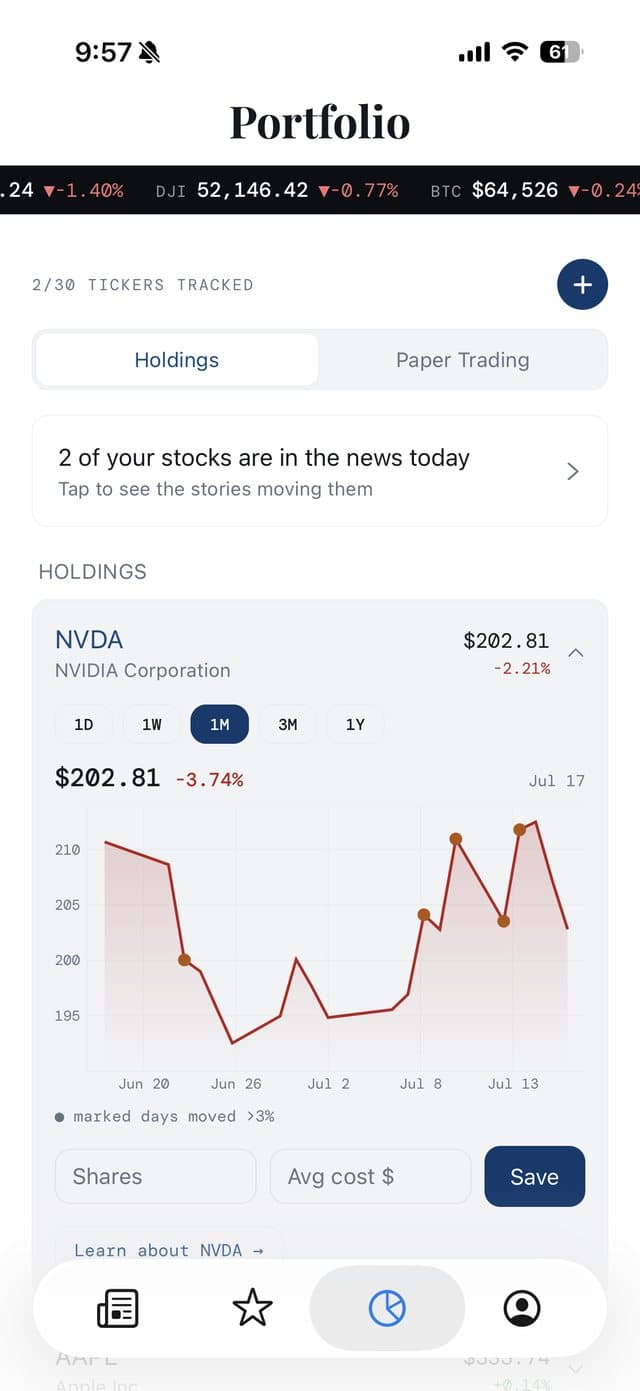
Portfolio
06
Follow your own holdings
Add your holdings to the Portfolio to see live prices, daily moves, and a chart for each stock - plus a heads-up when your stocks are in the news. Want to practice first? There's a built-in paper-trading account to try ideas risk-free.
07
Make it your own
In Settings, set a default briefing (sector + depth) so the app opens right where you want it, and switch between English and 中文.
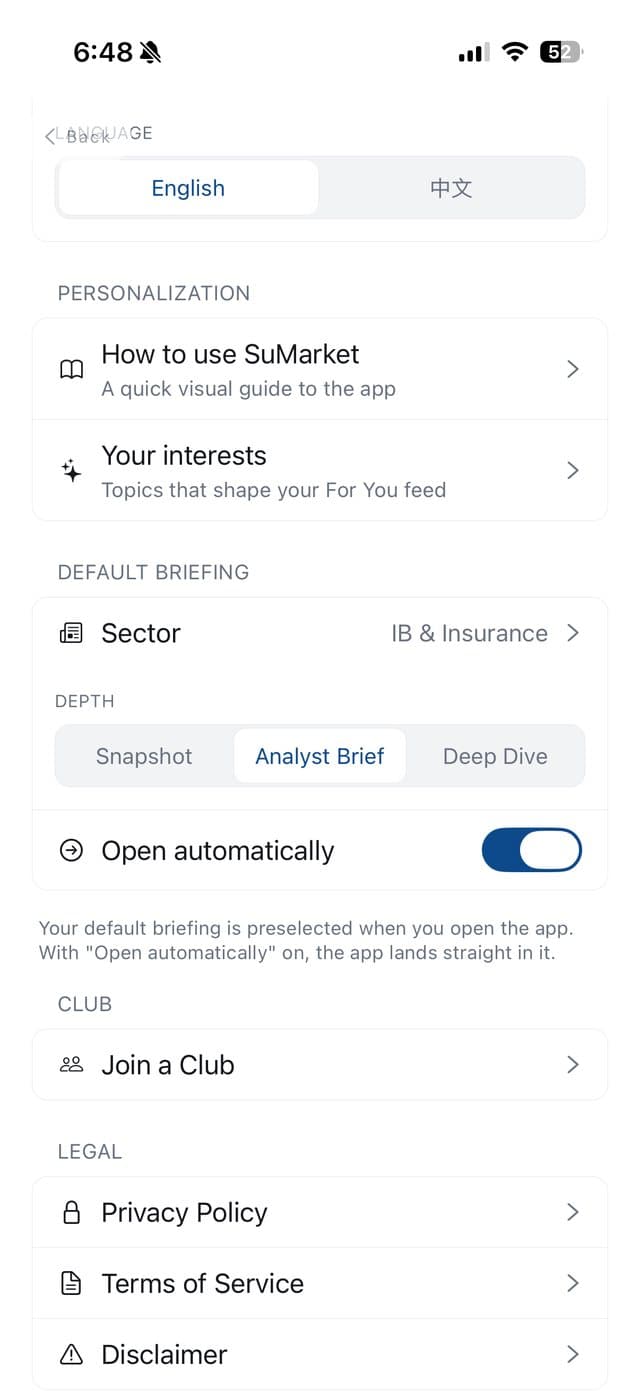
Settings
Come back tomorrow
The briefing refreshes daily and your reading streak tracks how many days in a row you've shown up - a gentle nudge to keep learning. A few minutes a day is all it takes to go from headlines you skim to markets you understand.